Build a WhatsApp Chatbot Without Coding (Step-by-Step)
Learn how to build a WhatsApp chatbot without coding in under 15 minutes — connect your number, design a flow, and go live using a drag-and-drop builder.
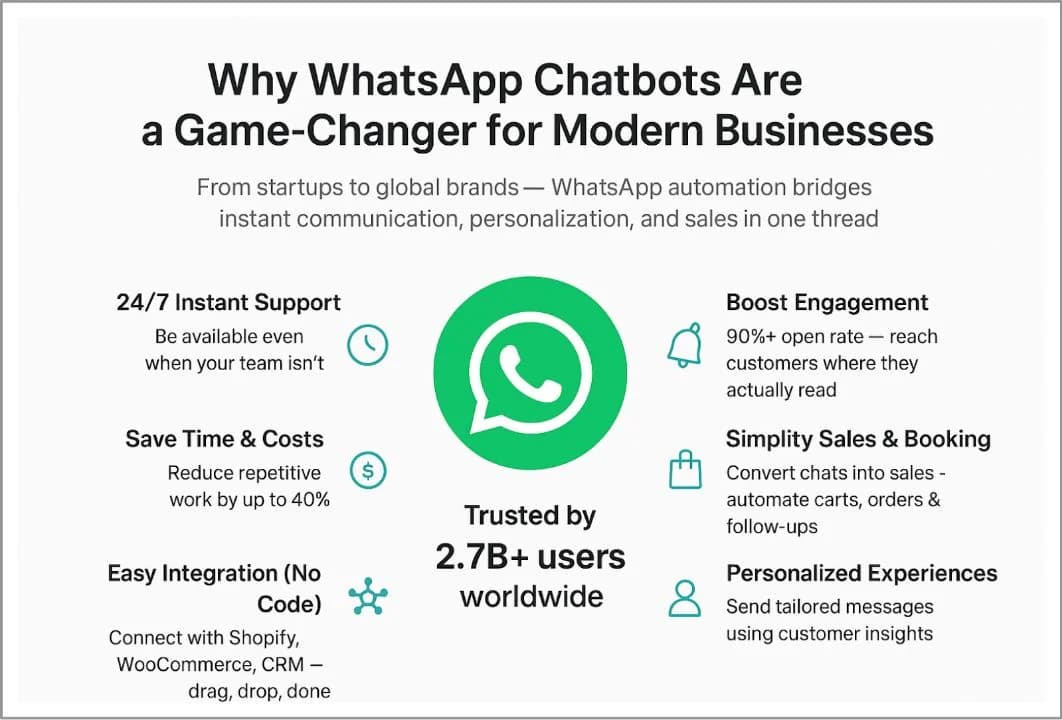
Most business owners assume a WhatsApp chatbot means hiring a developer or waiting weeks for an agency. It doesn't. If you can drag a box onto a canvas and type a message, you can build a WhatsApp chatbot without coding and have it answering customers today.
The Problem: "No-Code" Usually Isn't
A lot of tools promise no-code and then hand you a wall of settings, webhooks, and JSON payloads the moment you want the bot to do anything useful. That leaves most owners stuck in one of two places:
- Doing it manually. Typing the same answers to the same questions — "what are your hours," "do you deliver," "what's the price" — dozens of times a day.
- Paying for a developer to build something simple, because the "easy" builder wasn't actually easy past the first screen.
- Using an unofficial WhatsApp tool that risks getting the business number banned, since it doesn't run on Meta's official API.
The fix is a builder that stays visual all the way through — welcome message, menu, replies, and handoff to a human — without ever asking you to write a line of code. It also has to run on the official WhatsApp Business Platform, so the number stays verified and safe.
The Solution: A Drag-and-Drop Flow Builder
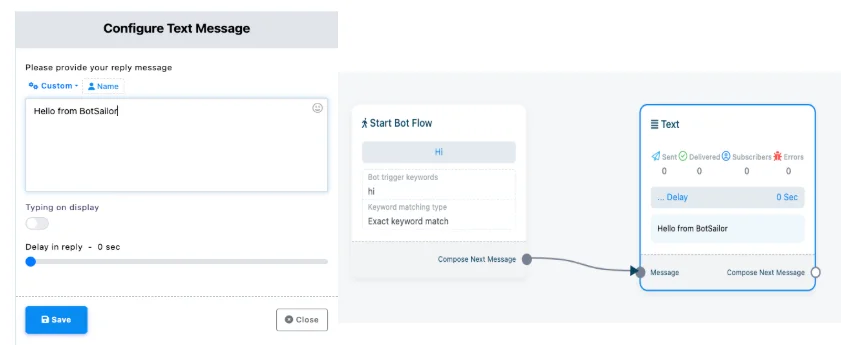
ChatSyncs' flow builder works like a flowchart. You place message blocks on a canvas, connect them in order, and each block defines what the bot sends and what it's listening for next — a button tap, a keyword, or free text.
A basic greeting flow looks like this from the customer's side:
Hi! 👋 Welcome to [Your Business].
How can we help today? 🛍️ See products 📅 Book an appointment 💬 Talk to a person
Tap a button, and the bot routes to the matching block — showing a catalog, opening a booking flow, or handing the conversation to your team's shared inbox. No code, just blocks connected on a canvas.
5 Steps to Launch Your First Bot
1. Connect Your WhatsApp Number
Link your verified WhatsApp Business Account (WABA) to ChatSyncs through Meta's official connection flow. If you don't have a verified WABA yet, this is the one step that involves Meta's own verification process — ChatSyncs' Growth and Managed plans include guided setup for exactly this.
2. Start From a Template or a Blank Canvas
Pick a starting template close to your use case — greeting bot, FAQ bot, lead capture — or start blank. Templates save time but nothing is locked in; every block stays fully editable.
3. Build the Welcome Message and Menu
Add your first block: a welcome message with button options (products, booking, support, etc.). This is the block every new conversation hits first, so keep it short and give the customer 2-4 clear choices.
4. Add Replies and Branches
For each button or keyword, add a connected block: an FAQ answer, a price list, a link, or a route to your live team. Branches can go as deep as you need — a "Book an appointment" button can lead into a full date-and-time picker flow.
5. Test, Then Publish
Use the built-in test mode to message the bot as a customer would, catch anything that reads wrong, and fix it on the same canvas. When it feels right, publish — the bot goes live on your number immediately.
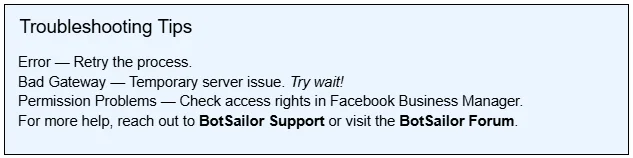
If something doesn't connect the way you expect, most issues come down to a handful of common causes:
ROI: What a No-Code Bot Saves
Illustrative example for a small business handling 50 WhatsApp conversations a day.
| Metric | Before Bot | With Bot |
|---|---|---|
| Repetitive questions answered manually | ~35/day | ~5/day |
| Average first-response time | Minutes to hours | Instant |
| Hours of staff time on routine replies | 2-3 hrs/day | Well under 1 hr/day |
| Developer cost to launch | Often required | ₹0 |
The time saved isn't abstract — it's the hours your team gets back to handle the conversations that actually need a human: negotiations, complaints, and closing sales.
Who This Fits
| Business Type | Fit | Main Use |
|---|---|---|
| Solo founders / small teams | Excellent | Replace manual replies without hiring |
| Retail & D2C brands | Excellent | Catalog browsing, order status |
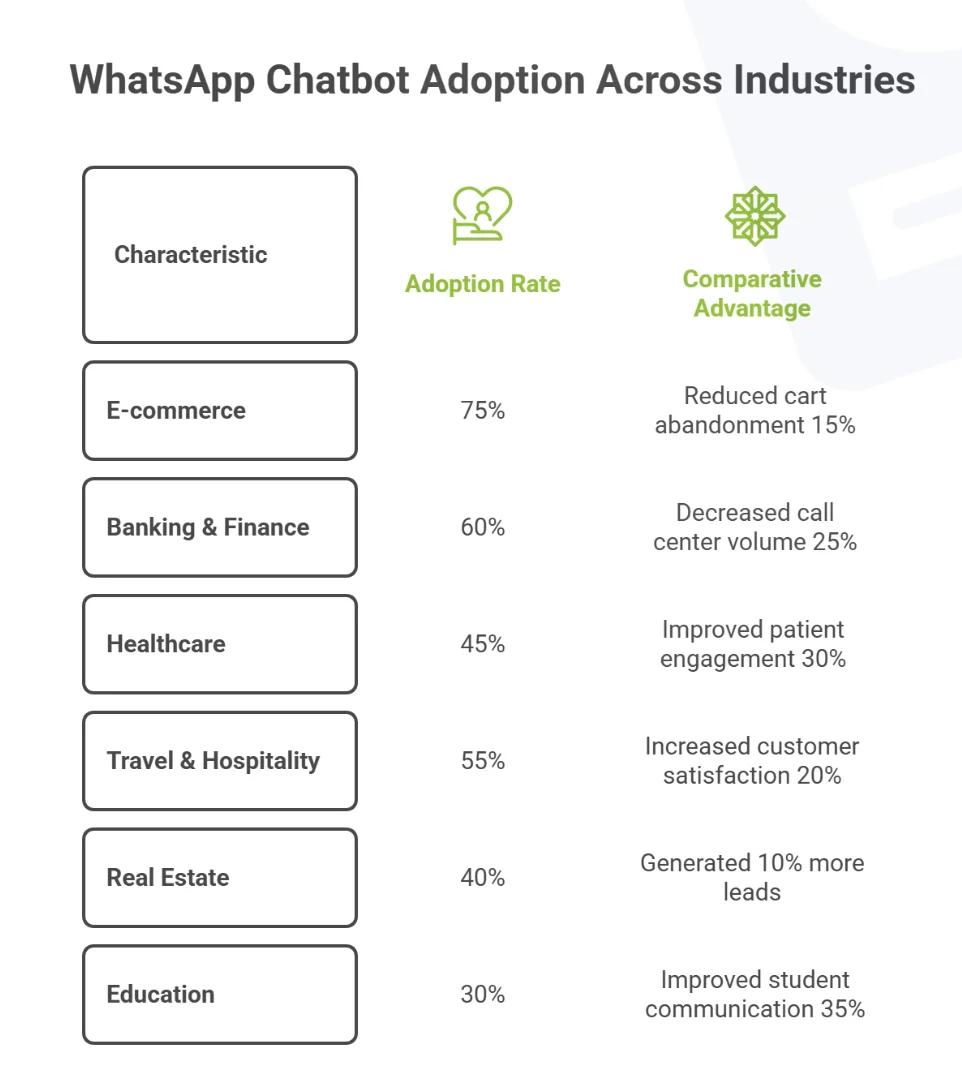
| Service businesses | Very Good | Booking, FAQs, lead capture |
| Agencies managing multiple clients | Very Good | Reusable templates across accounts |
A Non-Obvious Insight
Most first-time builders over-design their opening flow — five menu options, sub-menus, and a long welcome paragraph. Customers on WhatsApp expect the pace of a chat, not a website. A welcome message with two or three clear choices converts better than one with seven, because it mirrors how people actually message a friend: short, direct, one decision at a time. Start narrow, and add branches only once you see real customers asking for them.
Why ChatSyncs?
- Official WhatsApp API — a verified number, no ban risk, unlike unofficial WhatsApp automation tools.
- Truly no-code — the visual builder stays visual for advanced logic too, not just the first screen.
- Test before you publish — catch mistakes in test mode before a real customer sees them.
- Grows with you — start self-serve on Starter, move to guided setup or fully done-for-you services as your flows get more complex.
Final Step
A working WhatsApp chatbot doesn't need a development team or weeks of setup — it needs a canvas, a few connected blocks, and about fifteen minutes. Once your greeting flow is live, the natural next step is layering in the specifics for your business — see how a WhatsApp bot for restaurants or a WhatsApp bot for clinics extends the same building blocks into bookings and reminders. Start building yours with ChatSyncs today.
Sources & further reading

Lakshit Ukani
Founder, ChatSyncs
I help growing businesses respond instantly, follow up automatically, and close more sales on WhatsApp — using the official WhatsApp Business API.